Community Builder
Community Builder is a Network Yield role designed for community creators who want to grow and operate their own referral network on StandX.
Becoming a Community Builder
If you are interested in becoming a Community Builder, please contact [email protected].
StandX evaluates Community Builders against ongoing activity and volume benchmarks. If a Community Builder no longer meets the required targets, StandX reserves the right to adjust the configuration.
How a Community Is Organized
Each community managed by a Community Builder follows this structure:
- Community Owner — the Community Builder running the community. The community owner manages Builders, Groups, and yield configurations.
- Builders — users invited directly by the community owner. A community can have up to 10 Builders. The community owner can invite more Builders at any time, up to the limit.
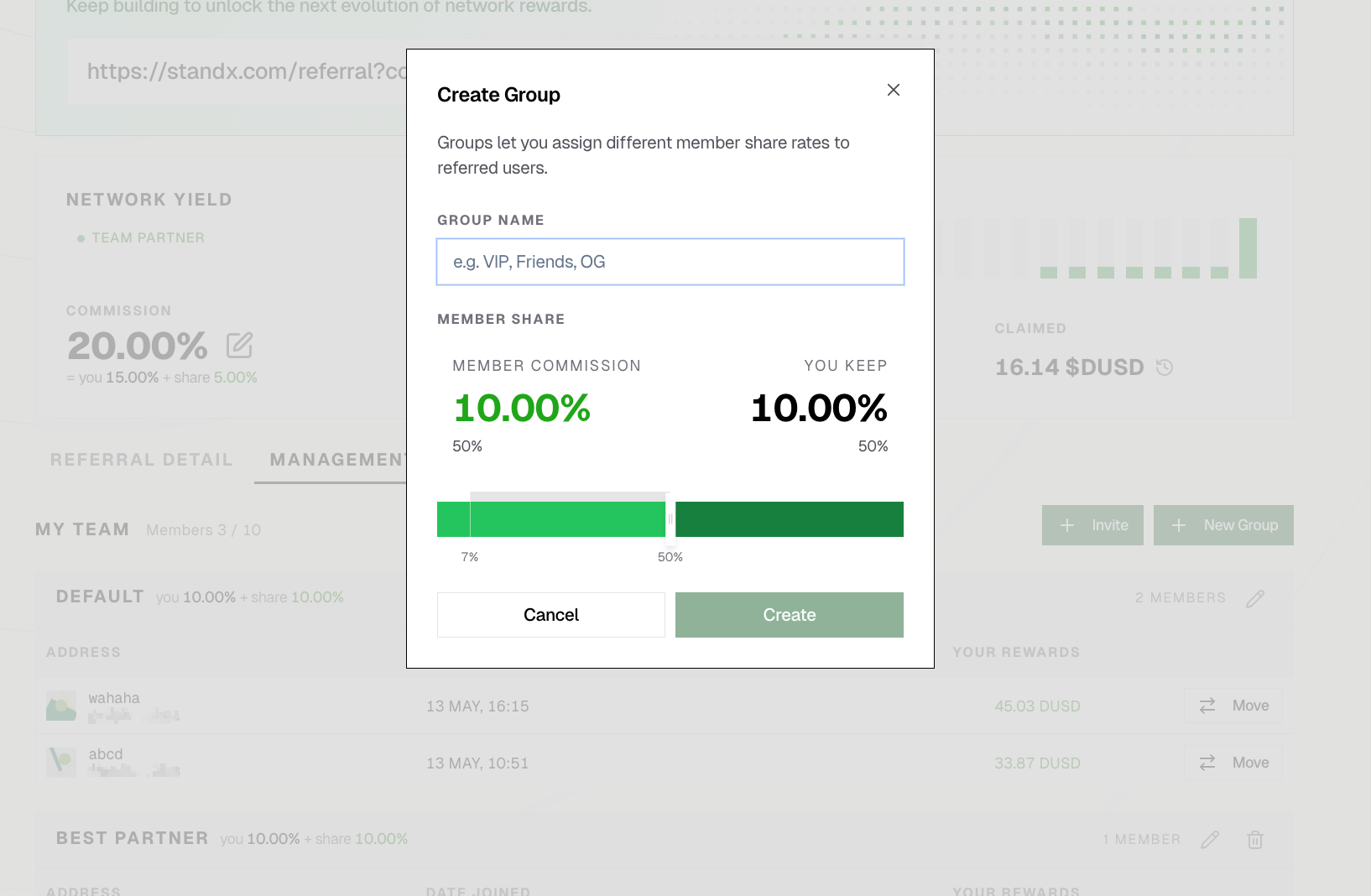
- Groups — configuration units used to organize Builders. The community owner creates Groups and assigns Builders to them. Each Group has its own yield configuration, which applies to every Builder in the Group.
- Invited users — end users invited by Builders. There is no limit on the number of users a Builder can invite.
Managing Groups
From the Community Builder dashboard, the community owner can view and manage all active Builders, Groups, and yield configurations.
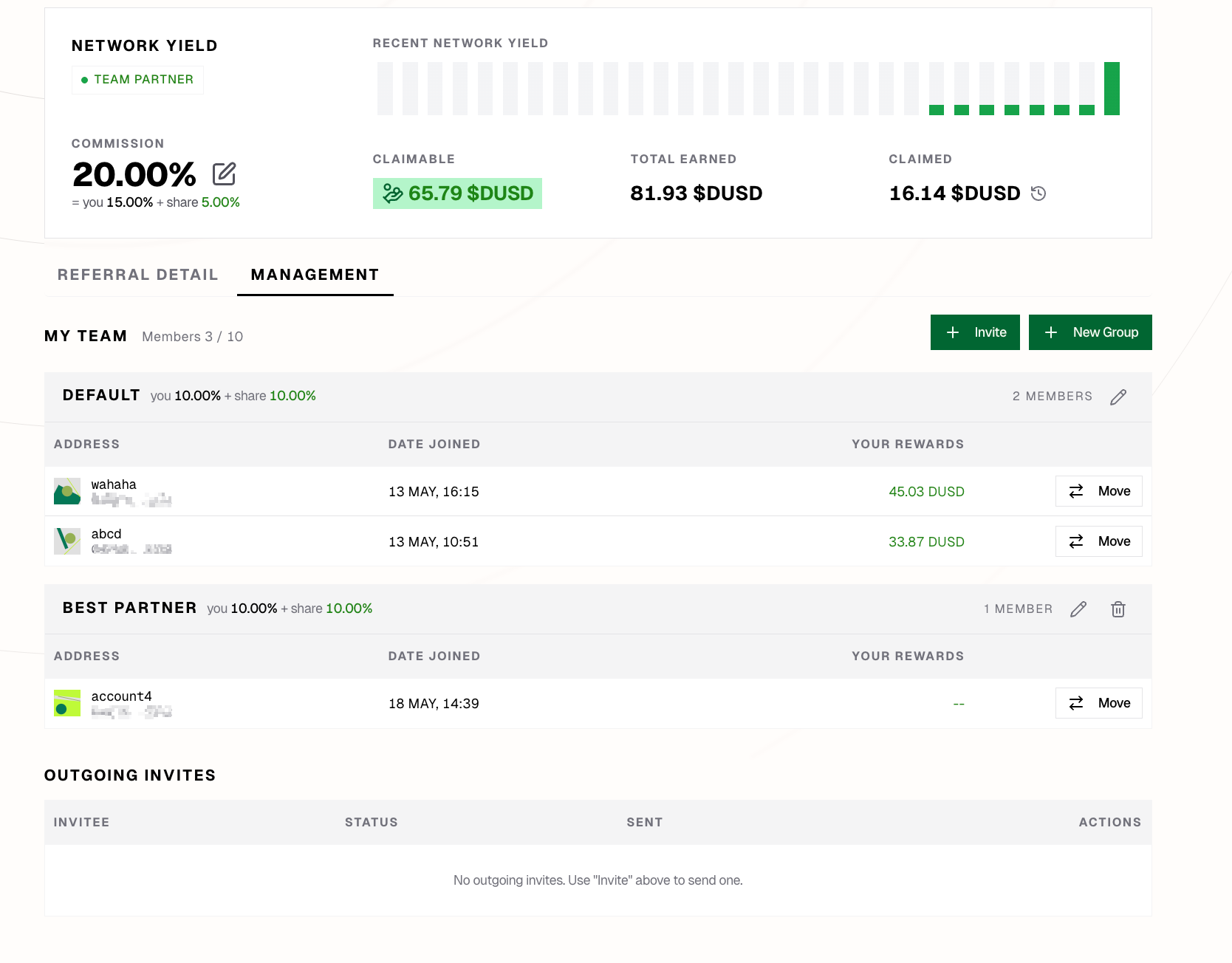
To create a new Group, set its yield configuration at creation time:
Inviting Builders
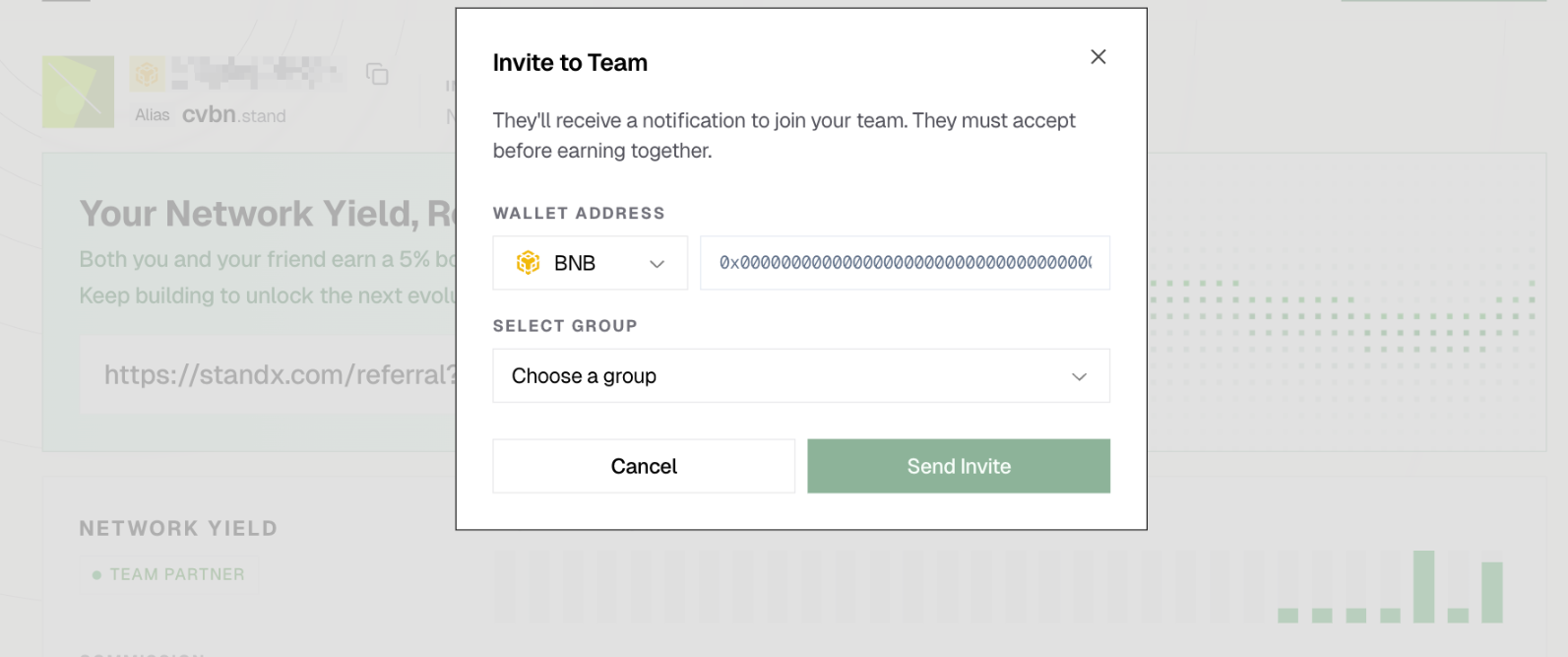
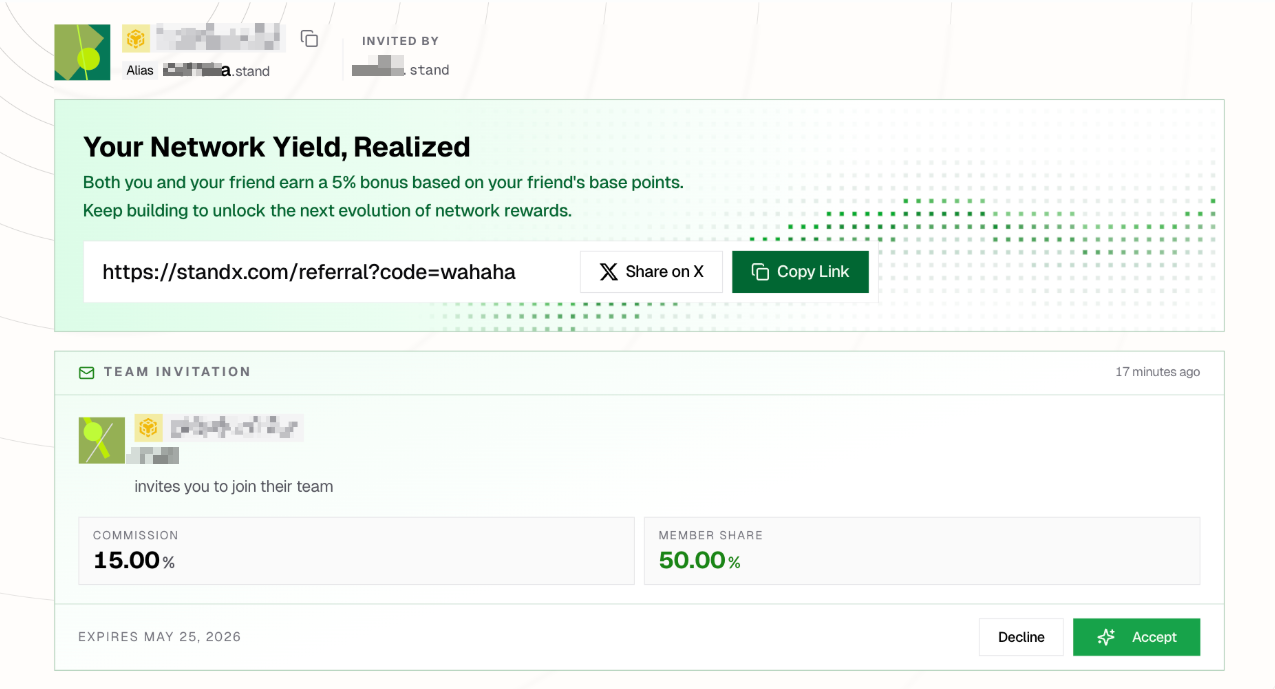
The community owner invites Builders by sending invitation letters directly from the dashboard. The invited user must explicitly accept before joining the community as a Builder.
Sending an invitation:
Accepting an invitation (invitee view):
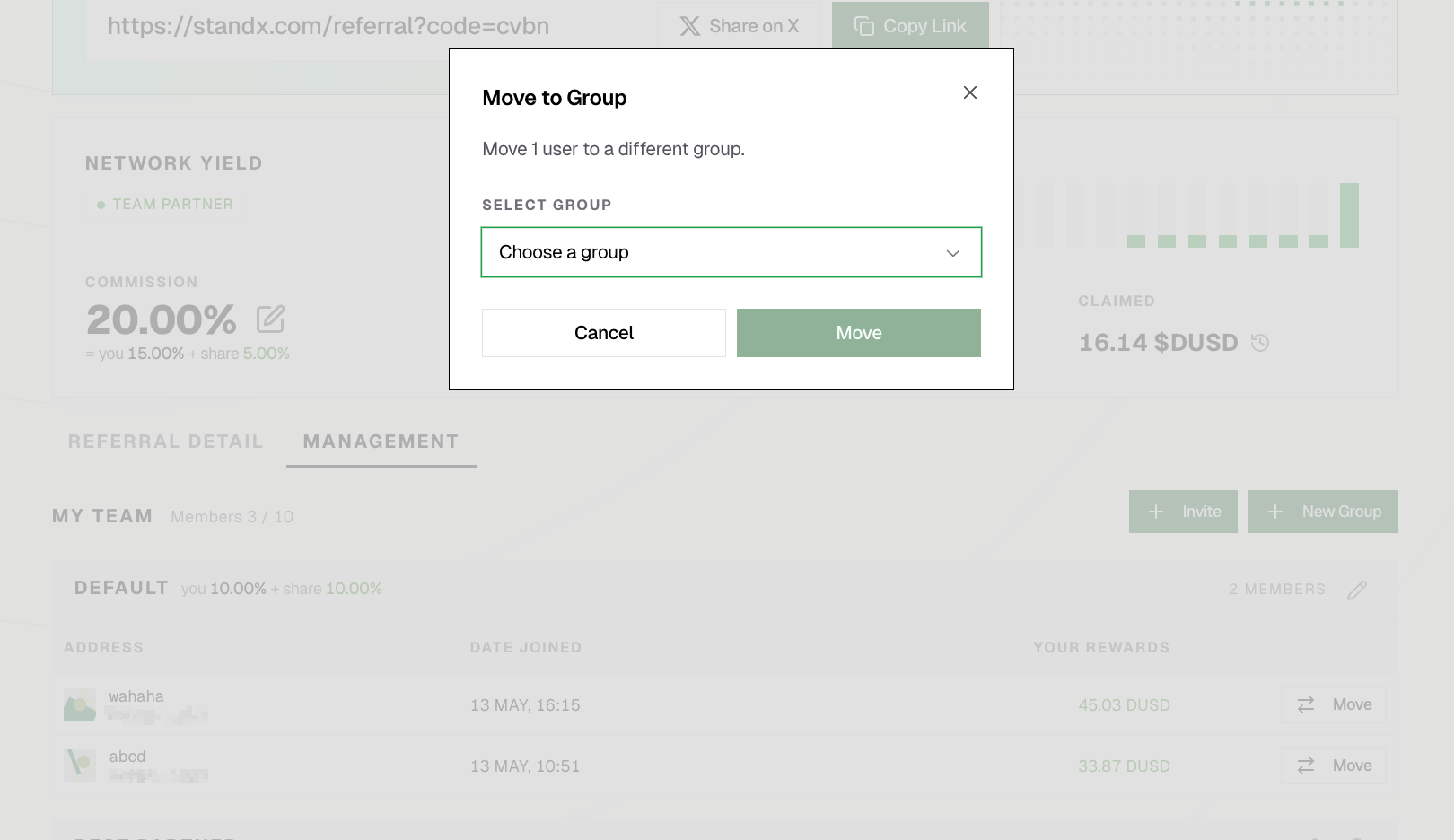
Assign Builders into Groups to apply different yield configurations:
How a Group Works
Once a Group is set up:
- The community owner decides each Builder’s yield share within the Group’s configuration.
- Builders assigned to the Group invite their own users into the community — there is no quantity limit on invited users.
- When invited users trade, the trading-fee yield is distributed according to the Group’s configuration — within the bounds of the Yield Table, up to 20% of trading fees.