Block Trade
Trade big without moving the market. Block Trade lets you negotiate perpetual contract trades peer-to-peer — with every step recorded on-chain. No orderbook sweeping, no slippage, no hidden execution.
You set the size, price, and direction. Counterparties match directly against your order. StandX handles risk validation and settlement. It’s that simple.
Key highlights:
- Zero market impact — Block Trade is fully isolated from the orderbook. It does not affect Mark Price, funding rates, or K-lines.
- Cross-chain — Publish from BSC, Solana, or any supported chain.
- Transparent — Orders, matches, and settlements are all traceable on-chain.
- Multi-party fills — A single block supports up to 25 counterparties.
- Two execution modes — Flexible (settle as matches arrive) or FullMatch (settle only after the entire block is filled).
For full technical details, see SIP-1: Block Trade.
User Guide
How to Create a Block Trade (Maker)
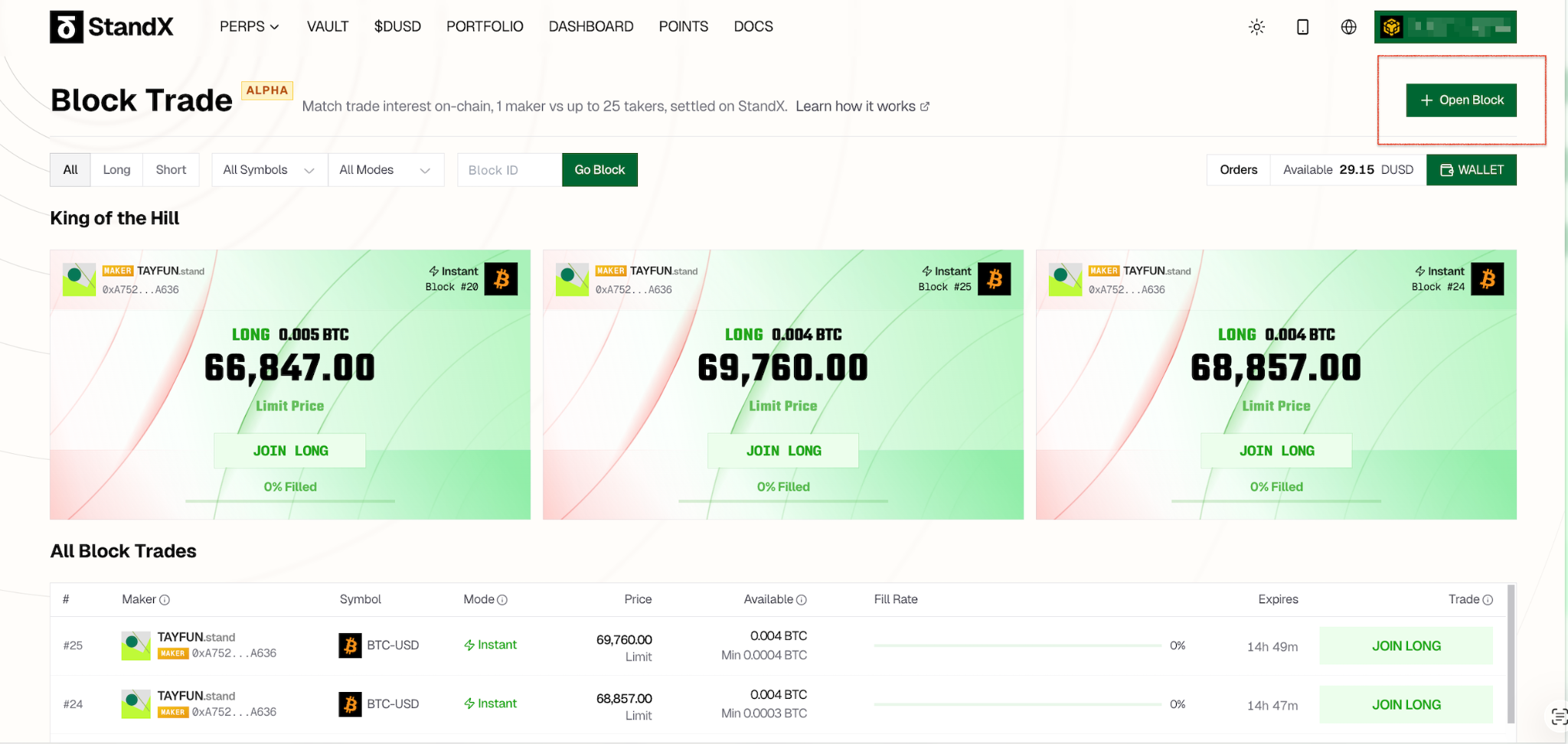
- Open the Block Trade page. Click the Open Block button.
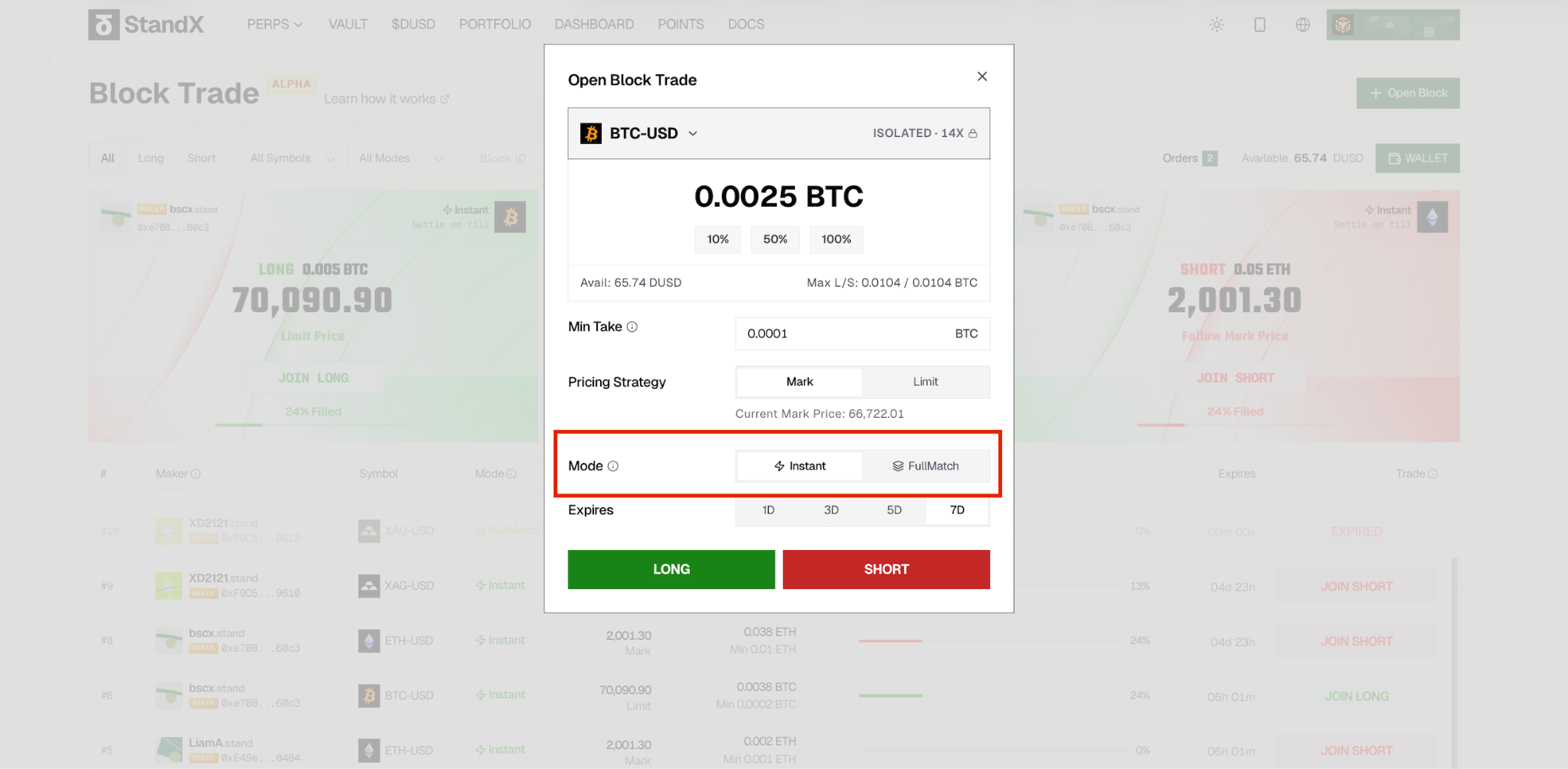
- Configure your order. Set the trading pair, size, direction, price, and mode. Pay special attention to your Mode selection:
- Flexible — Each match settles immediately. Good for when you want partial fills to start executing right away.
- FullMatch — Settlement waits until the entire block is filled. Takers can cancel before the block is fully matched.
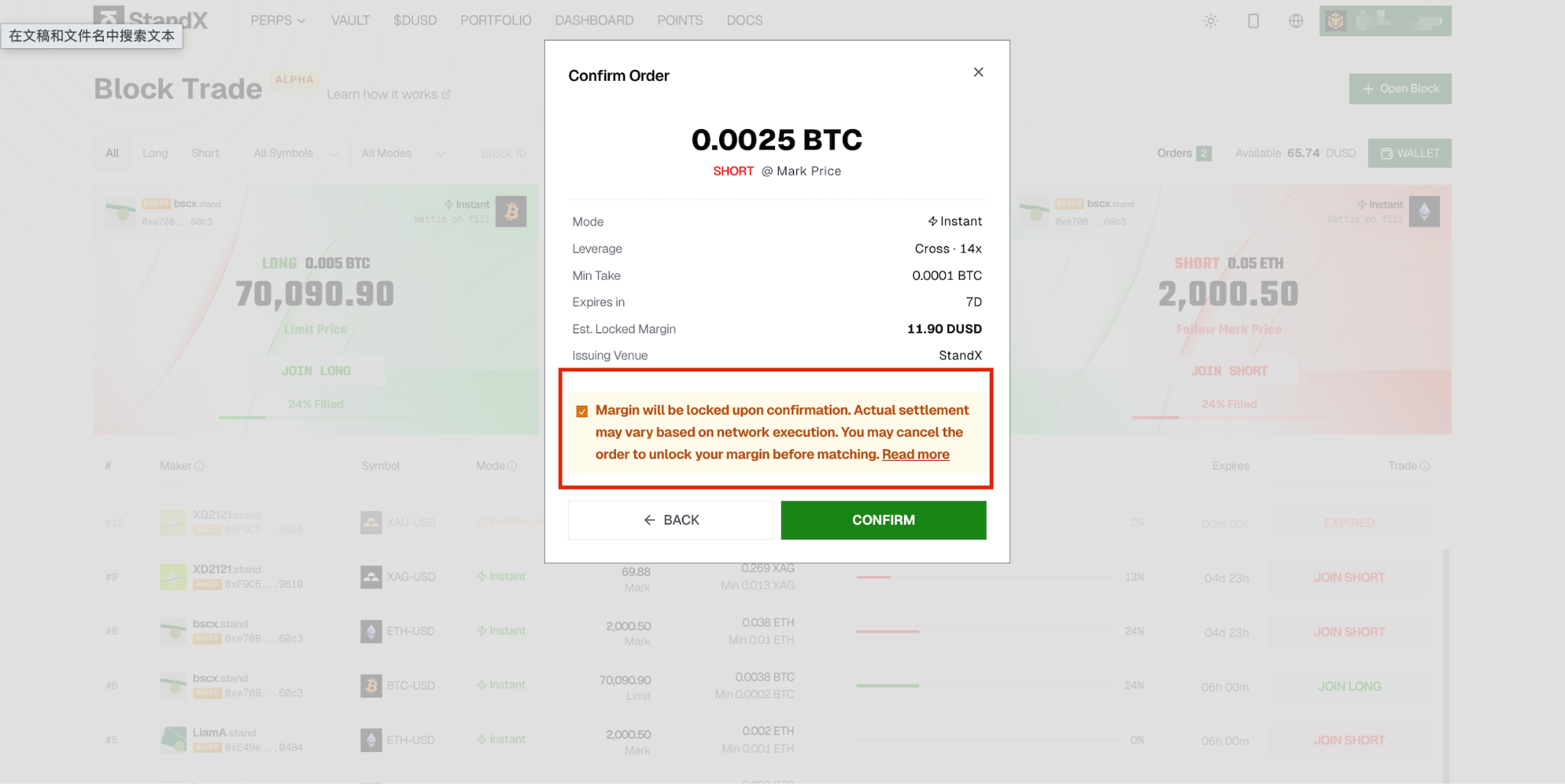
- Confirm the order. Read the reminder carefully, check the acknowledgment box, and click Confirm.
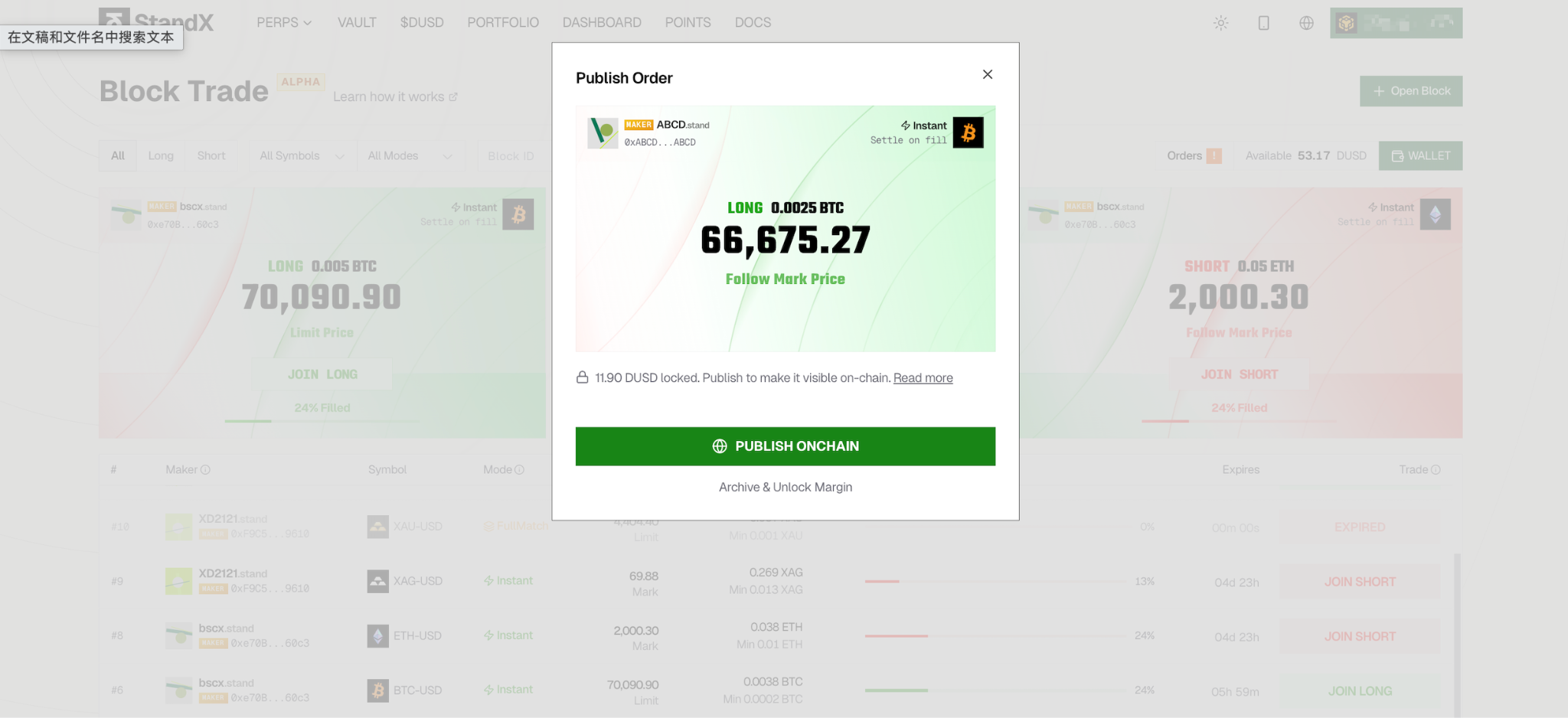
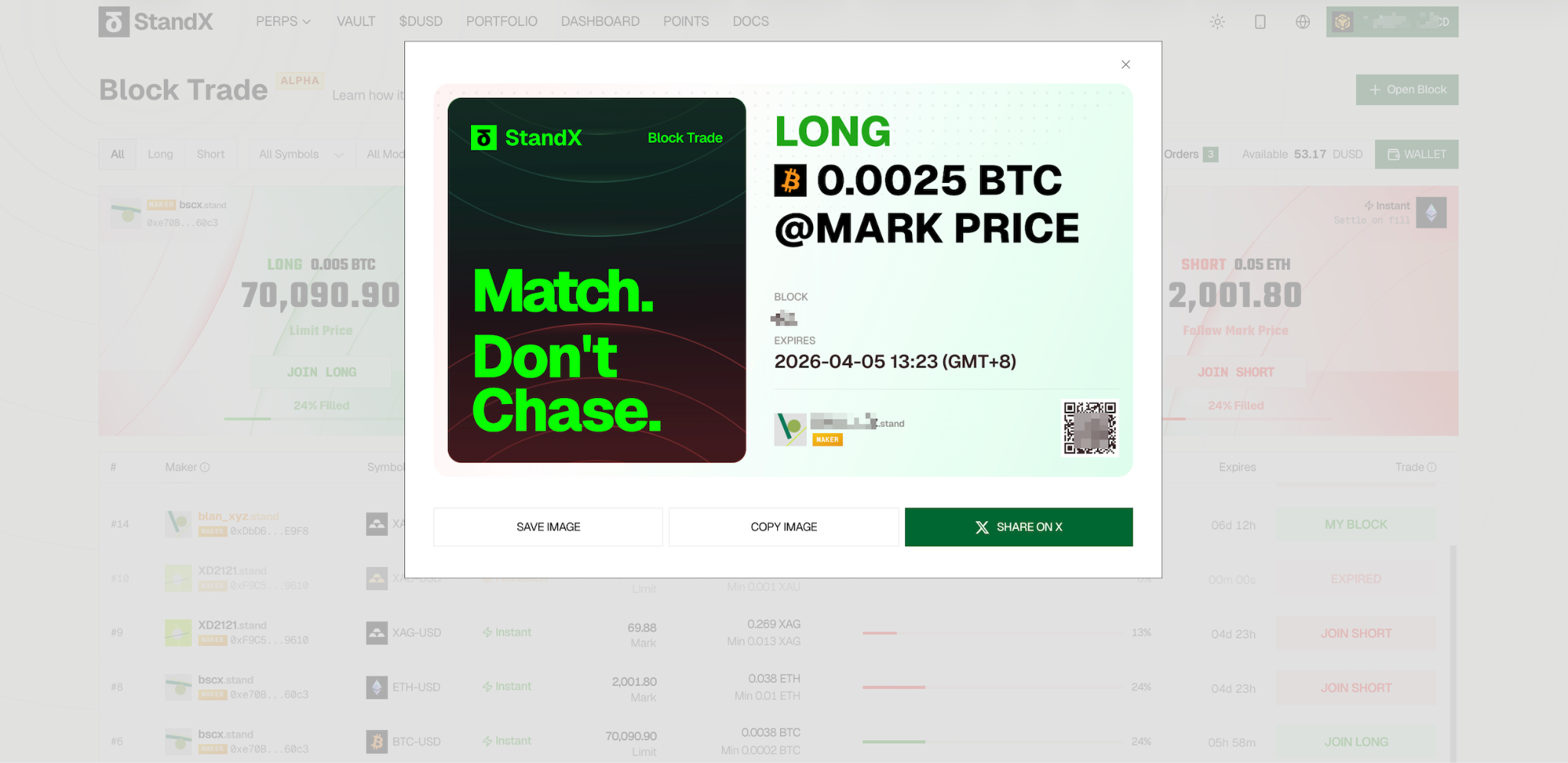
- Publish on-chain. Approve the wallet transaction to publish your order. Share it on X to attract counterparties!
- Track your block. Once confirmed on-chain, your order appears in the Positions tab. Monitor match progress and settlement status from there.
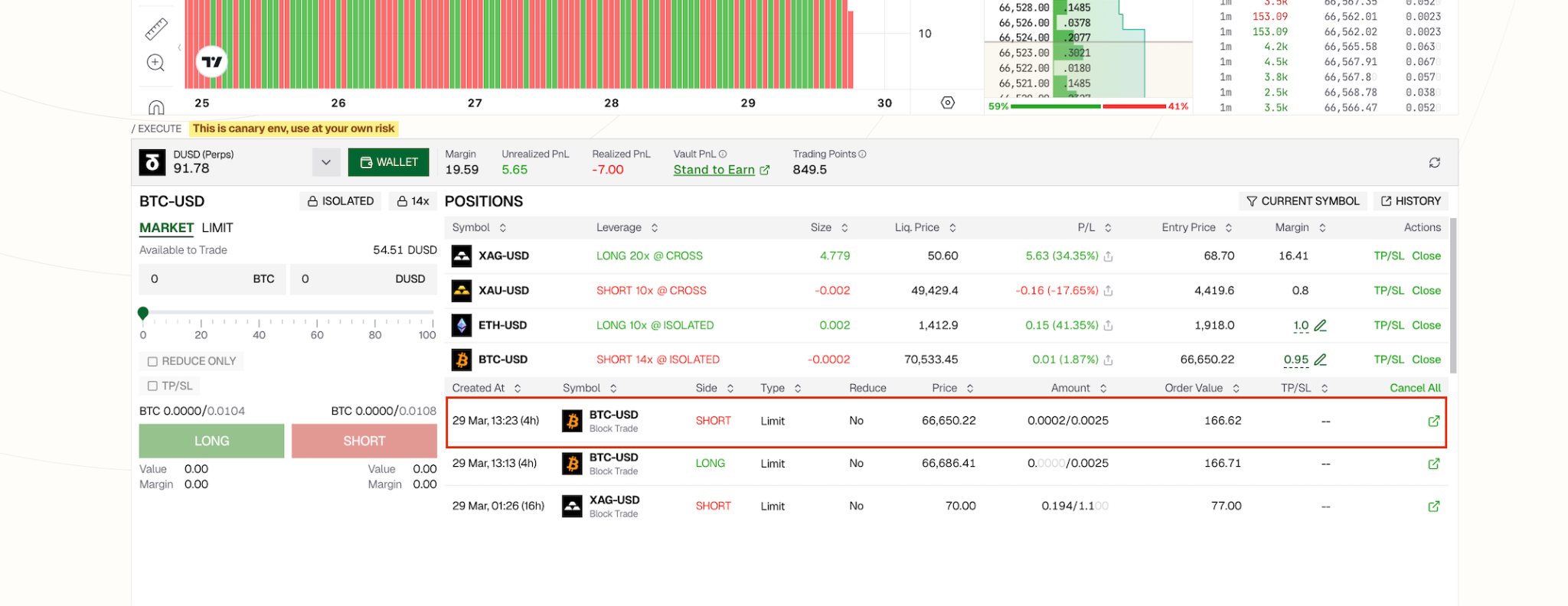
You can monitor and check all your block trade details from there.
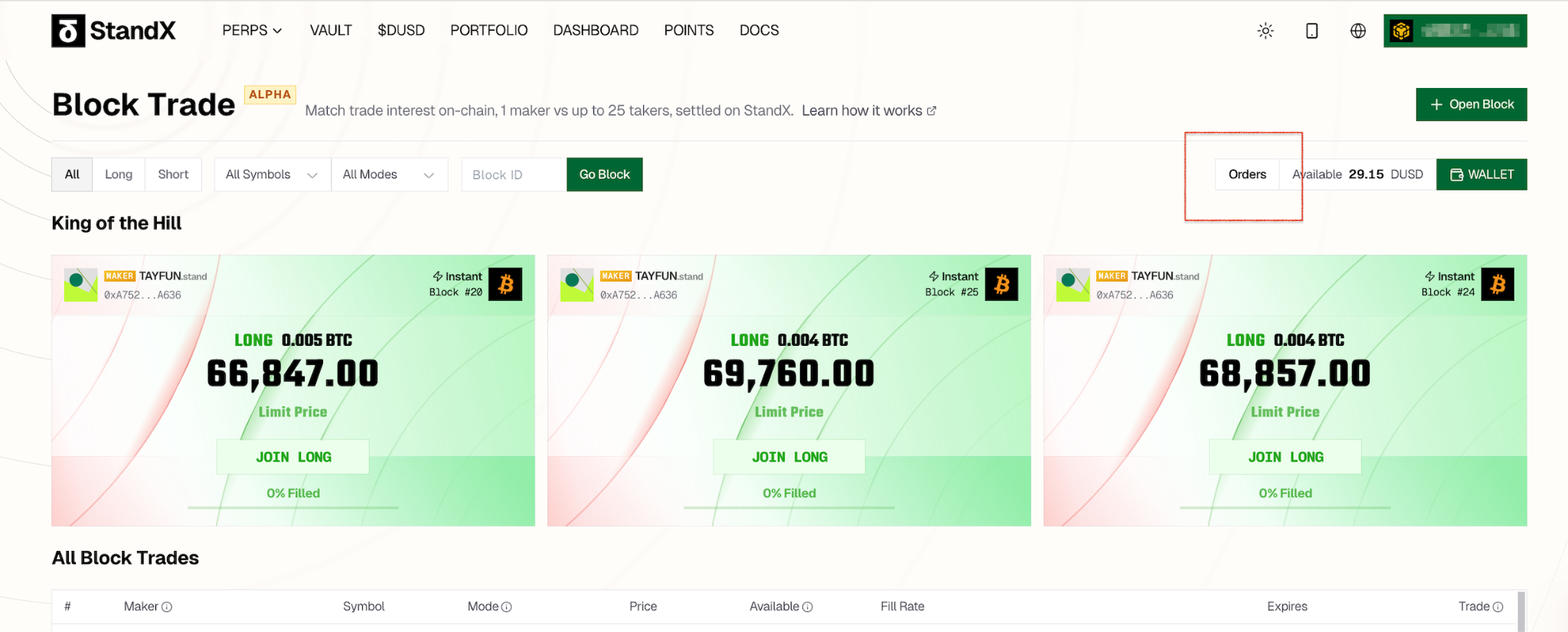
How to Join a Block Trade (Taker)
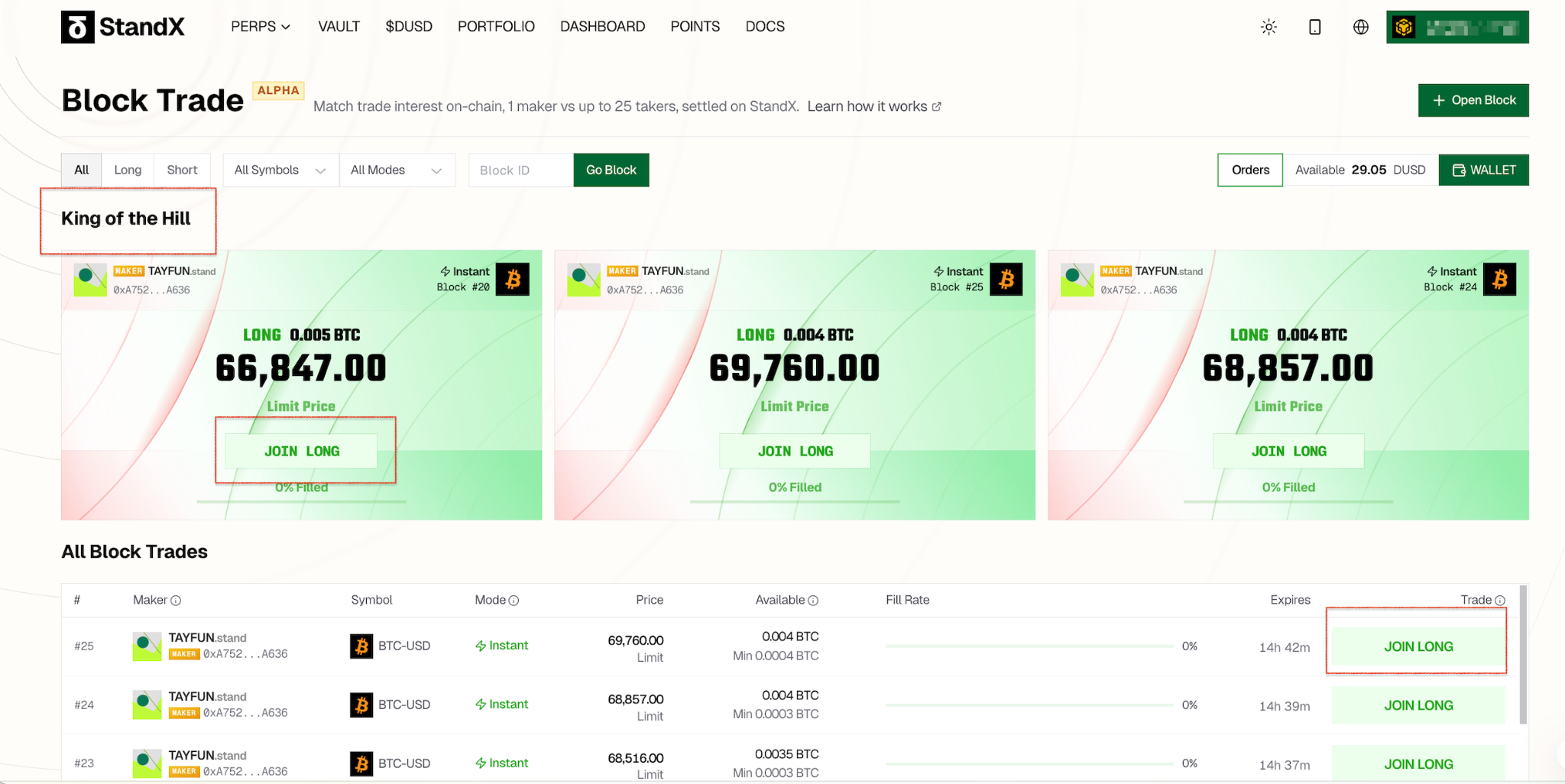
- Find an order. Browse available Block Trades on the page. Popular orders are featured in the top banner. Use the Filter to narrow results. Click JOIN LONG or JOIN SHORT to participate.
Note: The popular orders are prominently featured in the top banner. All other available orders are listed below it. You can use the Filter function to easily find orders that meet your specific criteria.
- Enter your size. Set the quantity you want to match. There is a minimum match size — check the order details for the exact amount.
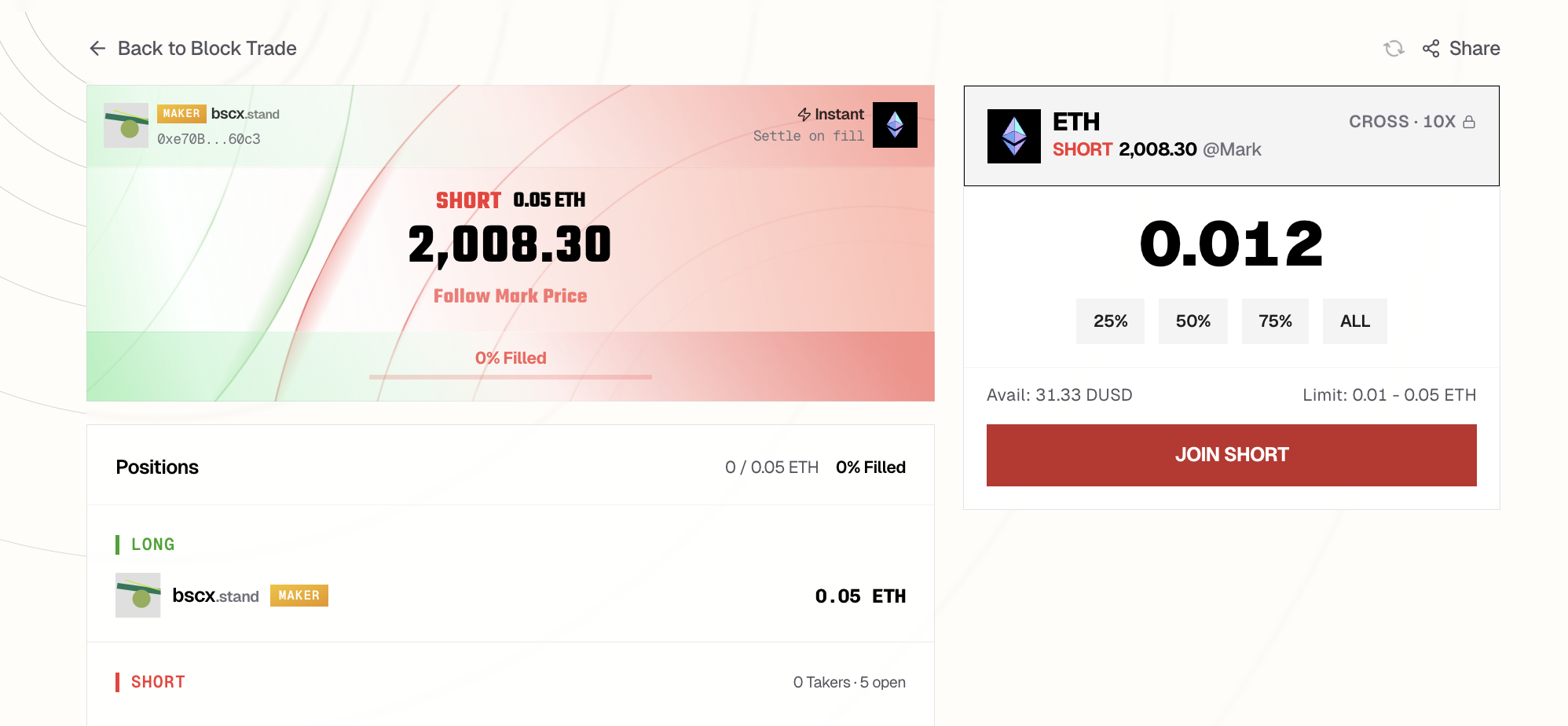
- Review and confirm. Double-check the details and click Confirm.
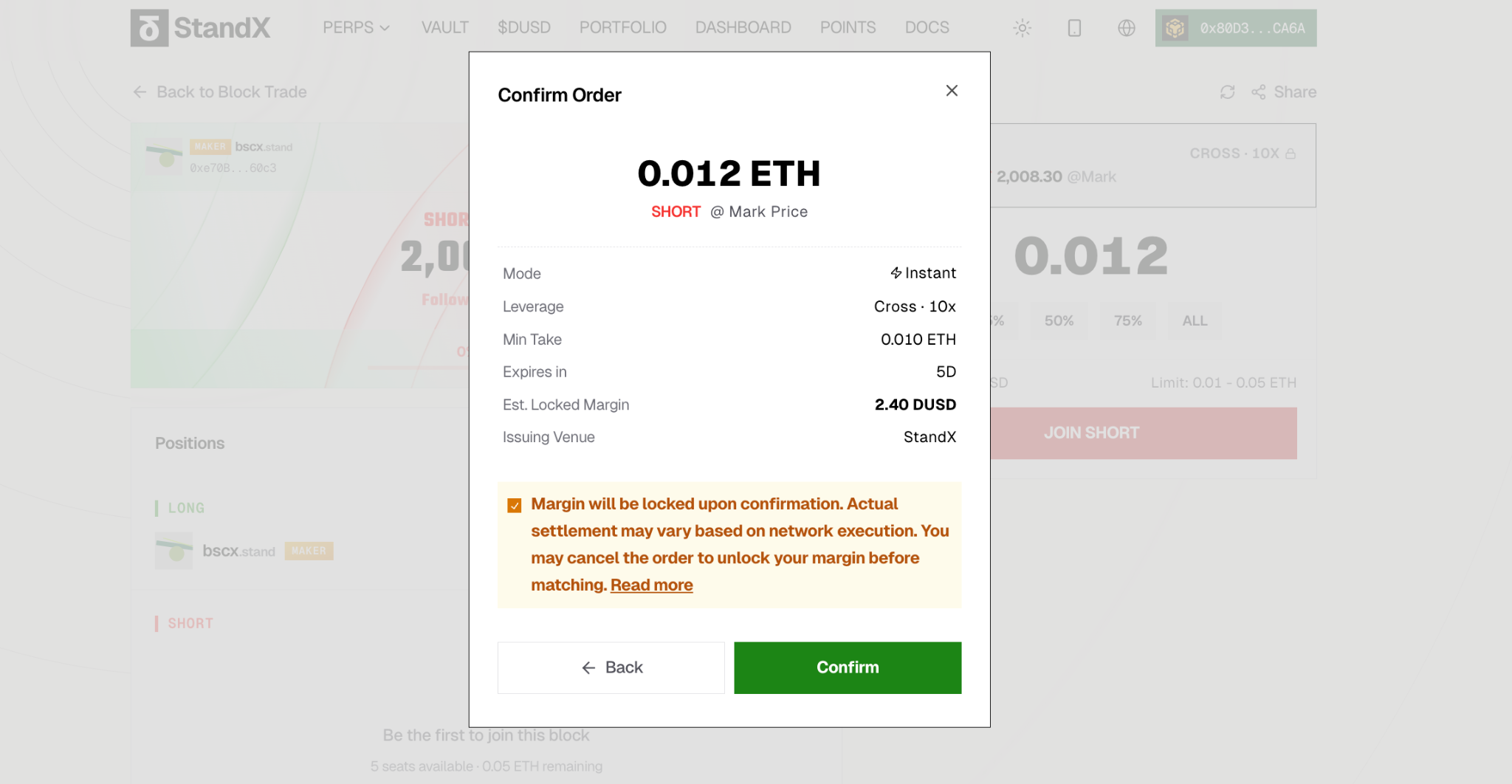
- Approve the transaction. Sign in your wallet to submit the match on-chain.
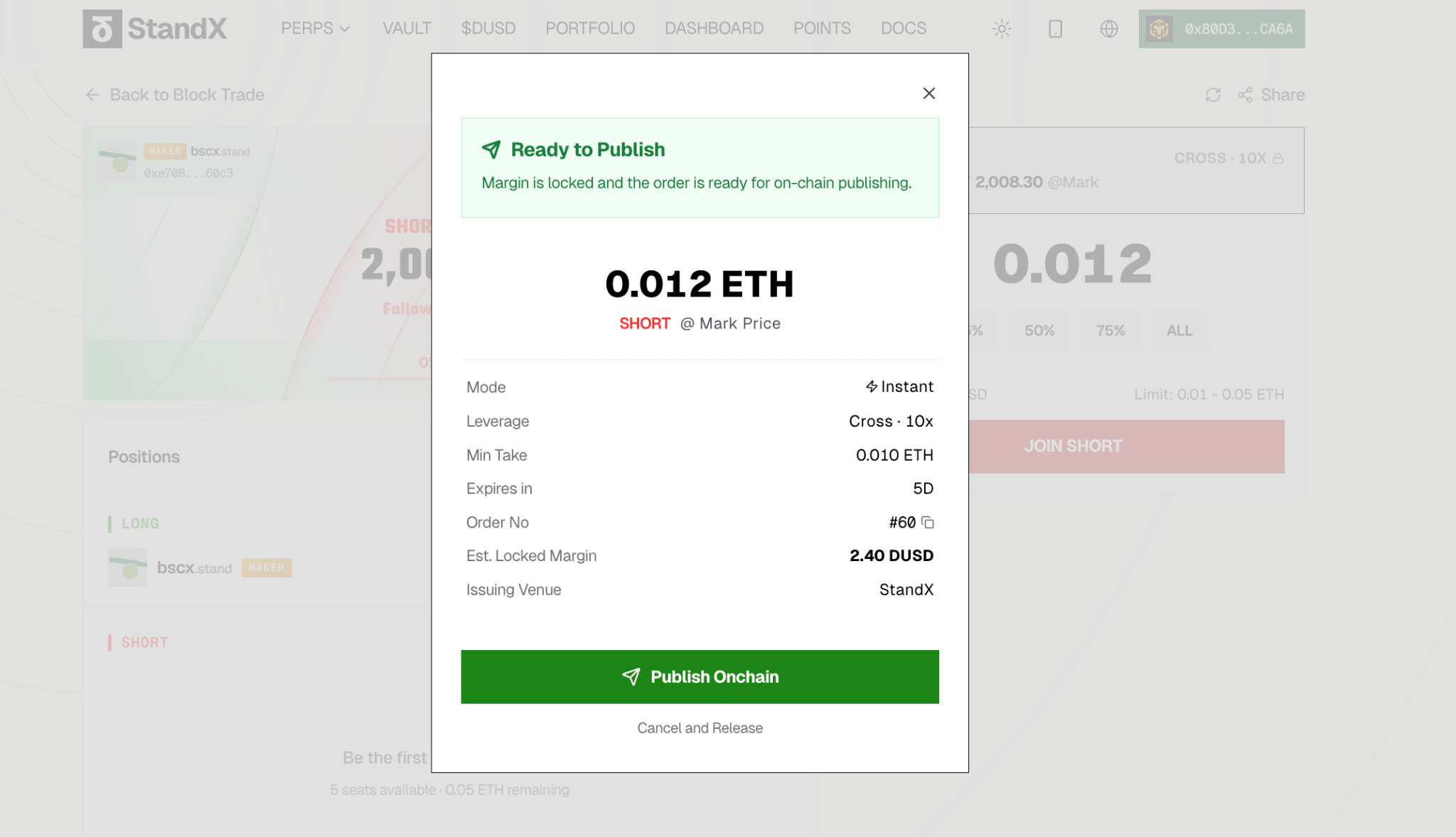
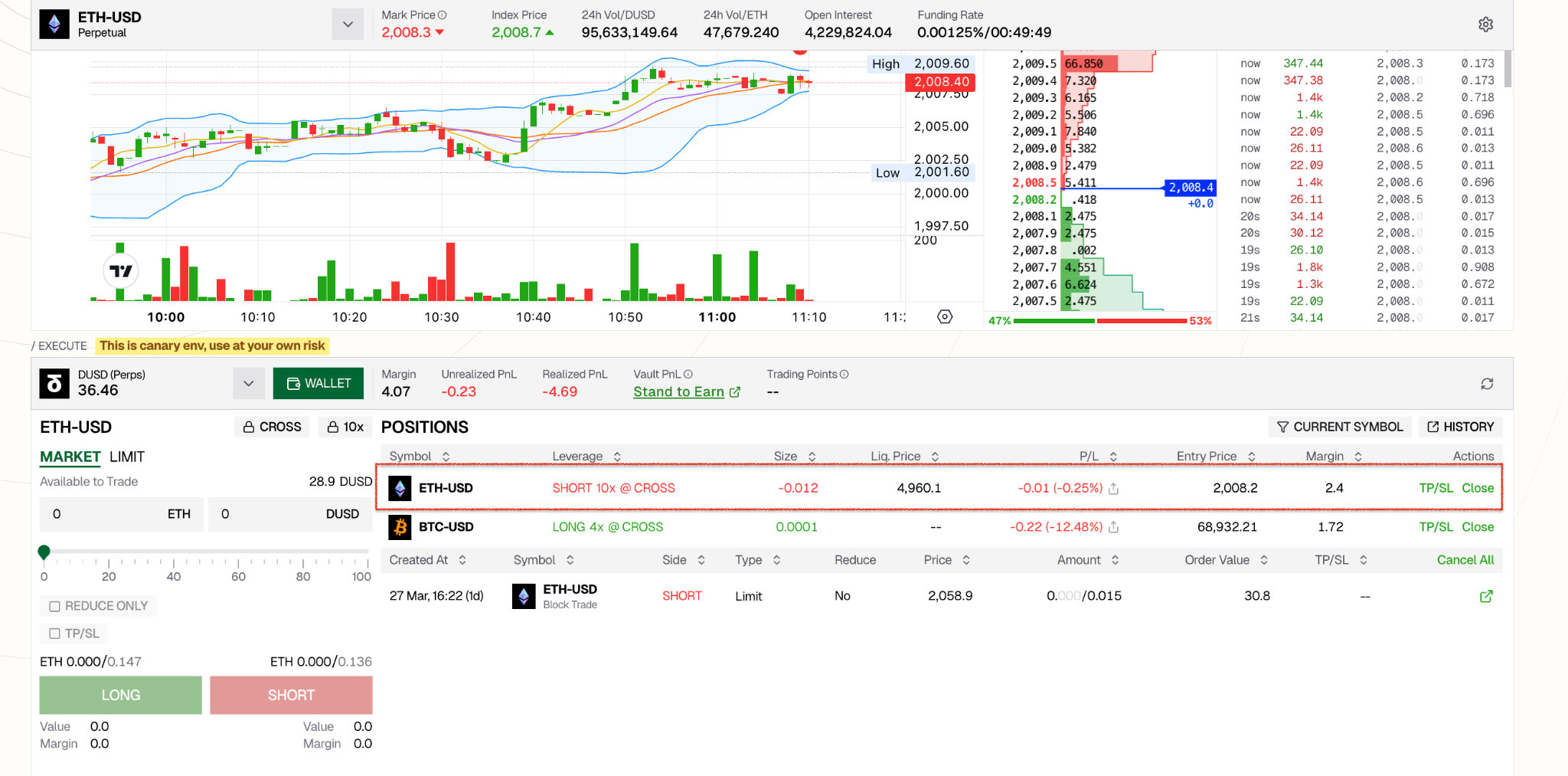
- View your position. Once processed, your position appears in the Positions tab of Perps. You can also check it at Block Order History Page.
FAQ
What is Block Trade?
Block Trade is a peer-to-peer trading mechanism on StandX that lets you negotiate perpetual contract trades directly with counterparties — with matching and settlement recorded on-chain. It is designed for traders who want to execute large orders without impacting the orderbook.
Does Block Trade affect the market price?
No. Block Trade is completely isolated from the central limit orderbook (CLOB). It does not affect Mark Price, Last Trade Price, K-lines, funding rates, or liquidation triggers.
What is the difference between Flexible and FullMatch?
- Flexible: Each counterparty match settles immediately and independently. You start getting positions as soon as someone matches. Takers cannot cancel once matched.
- FullMatch: No settlement happens until the entire block is 100% filled. Takers can cancel their participation before the block is fully matched.
What pricing options are available?
- Mark Price: Settlement uses the Mark Price at the time StandX processes the trade.
- Limit Price: Settlement uses a fixed price you specify. The price must pass risk validation.
What is the minimum match size for Takers?
The Maker sets a Taker Min Qty when creating the block. This is at least max(Size / 25, platform minimum trade quantity). You can see the exact minimum on each order’s detail panel.
Can I cancel my order?
- Maker: You can close your block at any time if it hasn’t fully matched yet.
- Taker (FullMatch): You can cancel before the block is fully matched. Once the block reaches 100% match, cancellation is no longer possible.
- Taker (Flexible): You cannot cancel — matching and settlement happen immediately.
What happens if settlement fails?
If your margin is insufficient or risk validation fails at the time of settlement, the match is marked Failed. No position is opened for that match. The consumed quantity is not returned to the block. Other participants’ matches are unaffected.
What is the Opening Loss Cap?
When you trade at a Limit Price that deviates from the Mark Price, your position may have an immediate unrealized loss. StandX limits this Opening Loss to 25% of your initial margin. If the deviation is too large, the order or match will be rejected. You can reduce it by using lower leverage or setting a price closer to the Mark Price.
How many counterparties can participate in one block?
Up to 25 counterparties per Block Trade.
Where can I find the full technical specification?
See SIP-1: Block Trade for the complete specification, including detailed scenarios and risk validation rules.