StandX
StandX
APPDOCSAPIBLOG
  • About StandX
  • $DUSD Overview
    • Product FAQ
    • User Guide
  • $DUSD Solutions
    • Minting $DUSD
    • $DUSD Yielding Circle
    • Redeeming $DUSD
    • Risks & Hedging System
    • Key Addresses
  • StandX Perps Overview
    • The Market Monitor
    • The Execution Panel
    • StandX Vault & SLP
    • StandX Wallet Guide
    • How to Make Your First Perps Trade Using Binance Wallet
  • StandX Perps Solutions
    • Contract Specifications
    • Margin & Leverage
    • Price Indicators
    • Liquidation
    • Funding Rate
    • ADL
    • Trading Fee
    • Take Profit and Stop Loss Orders (TP/SL)
    • Withdrawal
  • StandX Campaigns
    • Mainnet Campaigns
    • Alpha Phase Campaign
    • Pre-Deposit Campaign
    • How to Add LP on PancakeSwap V3
    • How to earn StandX points through Swap?
    • StandX Market Making Program
  • Resources
    • Media Assets
    • Audits
    • User Terms & Conditions

On This Page

  • PancakeSwap V3 USDT/DUSD:
DOCSStandX CampaignsHow to earn StandX points through Swap?

How to earn StandX points through PancakeSwap?

PancakeSwap V3 USDT/DUSD:

  1. First, enter the amount of USDT you want to swap.
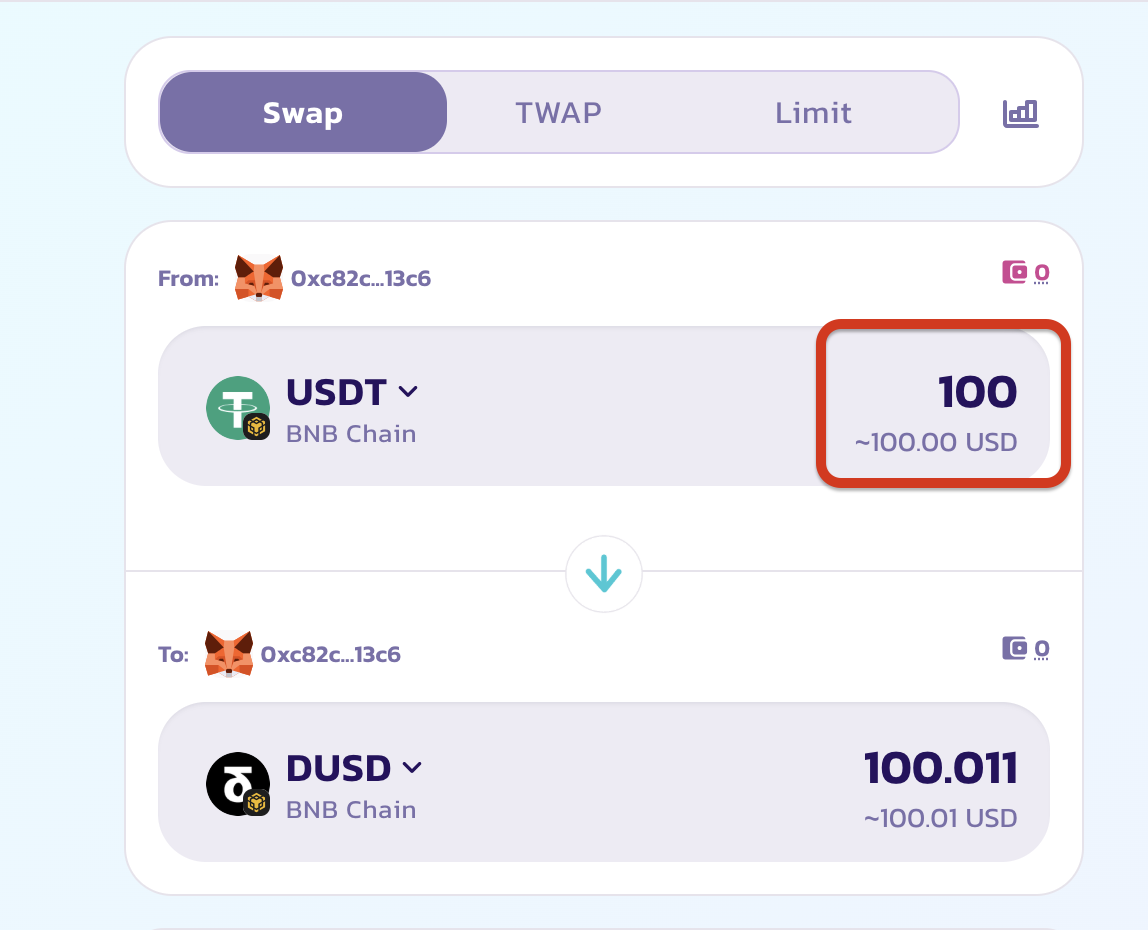
%E6%88%AA%E5%B1%8F2025-09-22_11.51.15.png

  1. Scroll down and find the Fee section, then click to expand it.
  2. Click the Route: USDT >> DUSD button.

%E6%88%AA%E5%B1%8F2025-09-22_11.53.37.png

  1. Click the Customize Routing button.

%E6%88%AA%E5%B1%8F2025-09-22_11.54.49.png

  1. Turn off the highlighted toggle (it is green by default, make sure it turns gray).
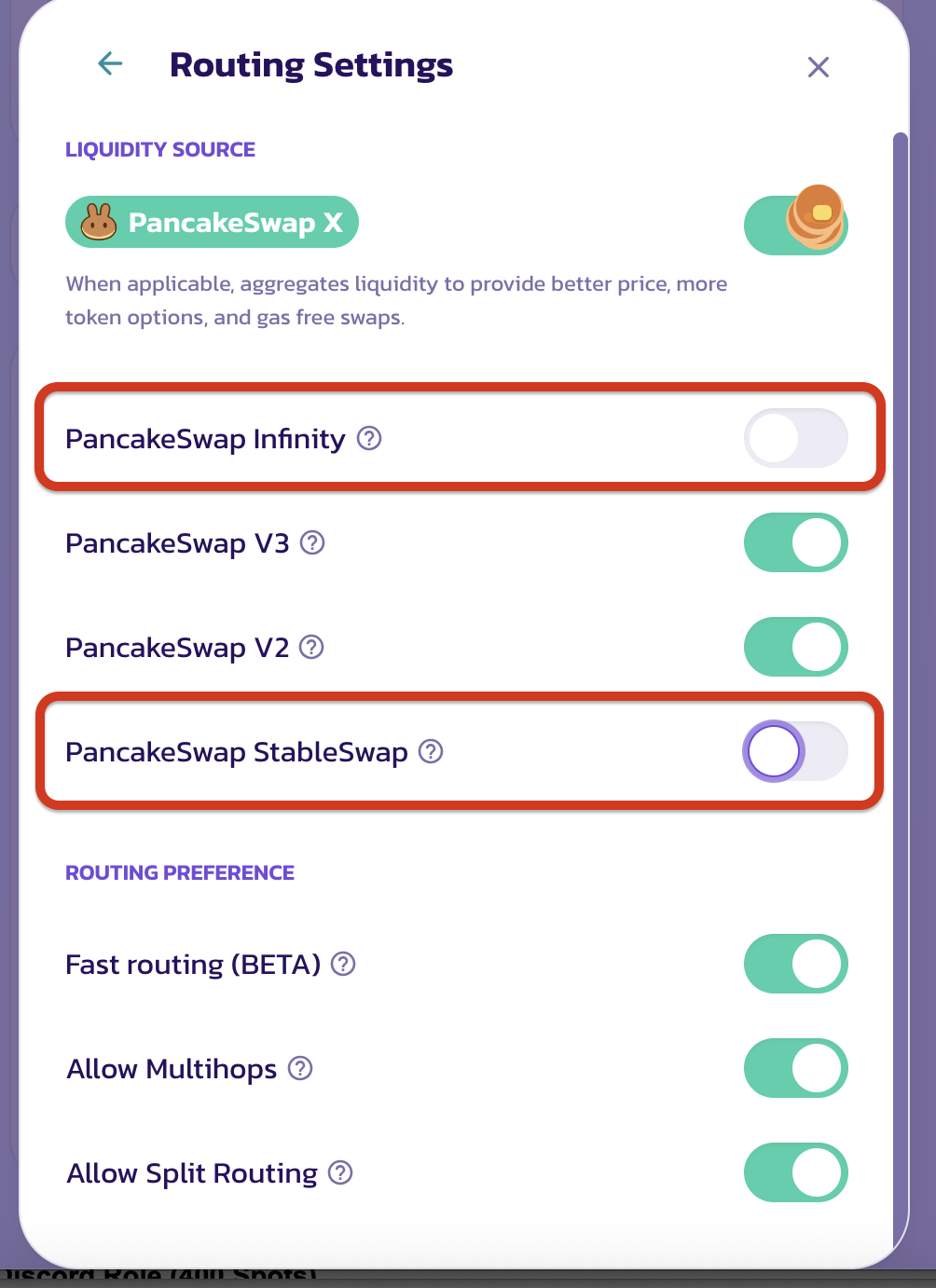
%E6%88%AA%E5%B1%8F2025-09-22_11.55.37.png

Once updated, your swap will be routed through the whitelisted pool, and you’ll earn StandX points!

How to Add LP on PancakeSwap V3StandX Market Making Program