Position Visibility
Your position, your privacy. Showcase your real trading performance and build your personal trading IP, entirely on your own terms. Position Visibility lets you choose exactly which positions, and which details of each position, are public. Once you make them visible, anyone can view them on your Portfolio page.
By default, your positions are private, and what you reveal is entirely up to you, making it easy to share your track record without exposing anything you would rather keep to yourself.
Fine-Grained Control
Position Visibility on StandX is deliberately granular. You do not have to choose between “all public” and “all private”. Control happens at two levels:
- Which markets to show. Choose exactly which trading pairs (for example BTC-USD or ETH-USD) appear in your public list. Any market you do not add stays completely private.
- Which details to reveal per market. For each market you show, toggle each field independently:
- Side: the direction, Long or Short.
- Quantity: the size of your position.
- Entry Price: the price at which you opened.
- PnL: the profit and loss.
This lets you tell exactly the story you want. For example:
- Show which assets you are trading, without revealing your direction.
- Show that you are long or short BTC, without revealing your size.
- Reveal your entry price and direction to show off a well-timed entry, without disclosing how large the position is.
Where to Find It
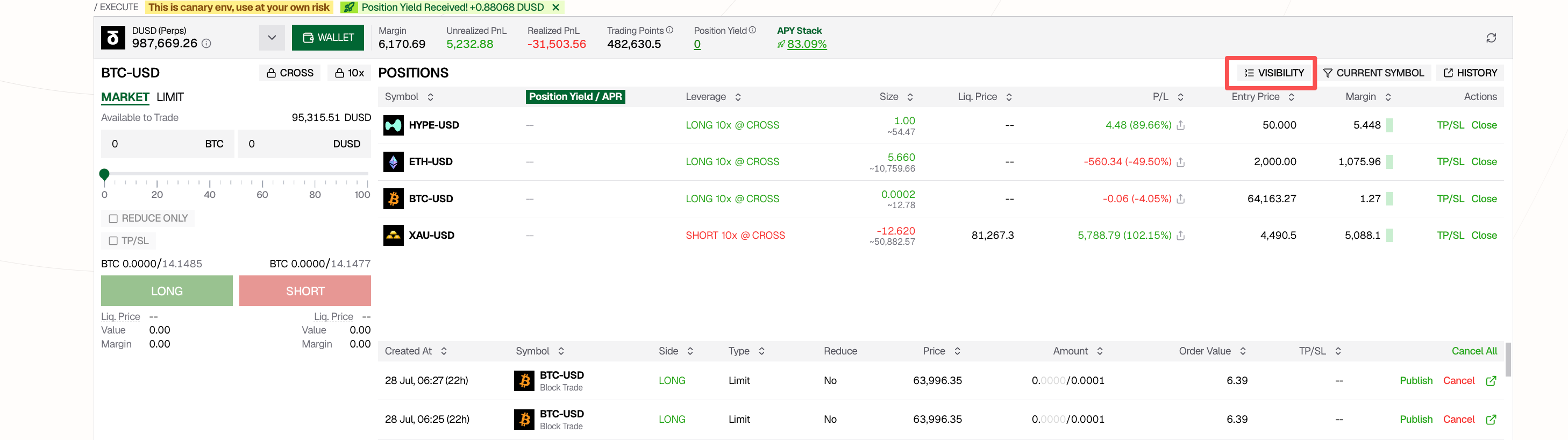
Open the POSITIONS panel on the Perps trading page and click VISIBILITY in the top right of the panel.
How to Set It Up
Clicking VISIBILITY opens the Position Visibility dialog.
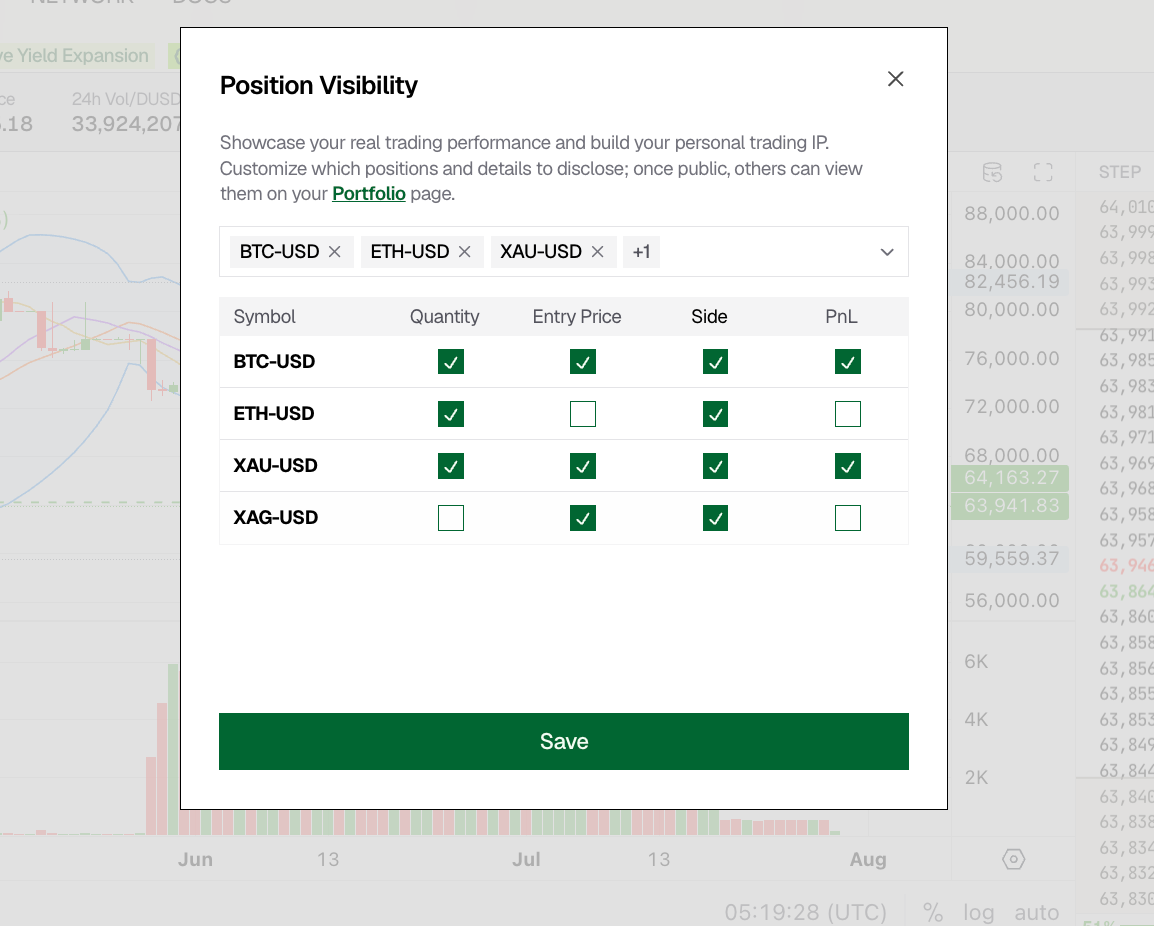
- Select the markets to show. Use the selector at the top to add one or more trading pairs. Each selected symbol appears as a row in the table below.
- Choose which fields to reveal. For every symbol you can toggle each field independently: Quantity, Entry Price, Side, and PnL.
- Save. Click Save at the bottom of the dialog to apply your settings.
About PnL: PnL is derived from Quantity, Entry Price, and Side together with the current mark price. For this reason, when you enable PnL the other three fields are selected automatically, and PnL cannot be enabled while any of Quantity, Entry Price, or Side is turned off.
What Others See
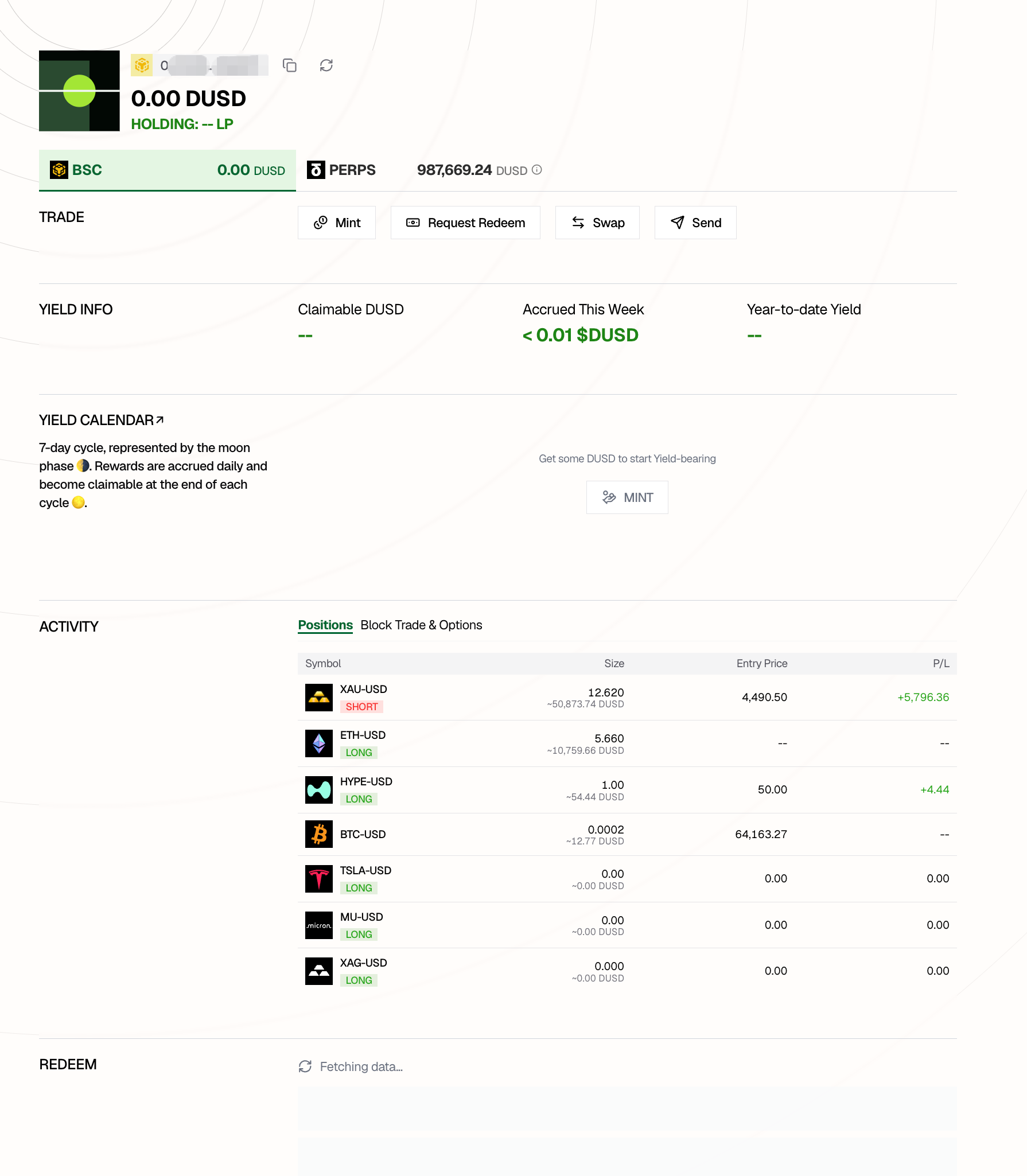
Once your settings are saved, other users can view your positions on the Portfolio page, under ACTIVITY → Positions. Only the fields you chose to reveal are shown; any field you kept private displays as --.
For Vaults
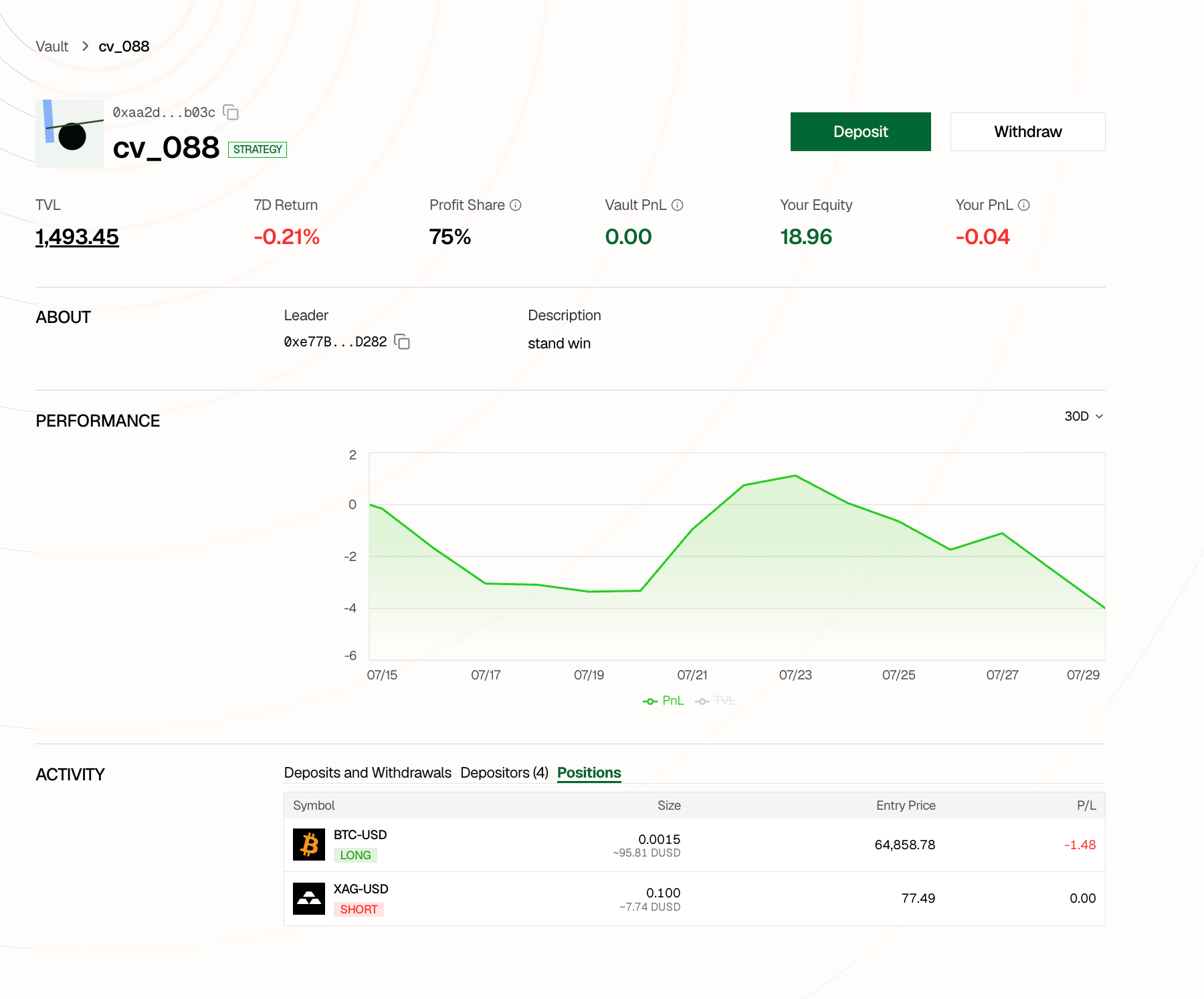
If you operate a vault, your visibility settings also apply to the vault. Other users can view the vault’s positions on the Vault Detail page, under ACTIVITY → Positions.