Community Vaults
Community Vaults are user-created vaults on StandX Perps, defined in SIP-5B. You can find them on the Vaults page, under the Community Vaults section. The list shows each vault’s TVL, 7D APR, Profit Share, age, and your deposit.
There are three vault types. The type is set at creation and cannot change later:
| Type | What it does | Status |
|---|---|---|
| Strategy | Depositors fund an owner who trades on StandX Perps. | Live |
| Reward | Maker incentive budget of a trading pair, paid out to community makers. | Coming soon |
| Shield | Insurance capital that absorbs liquidations ahead of ADL. | Coming soon |
Only Strategy Vaults can be created for now.
Creating a Strategy Vault
On the Vaults page, in the Community Vaults section, click Create Vault.
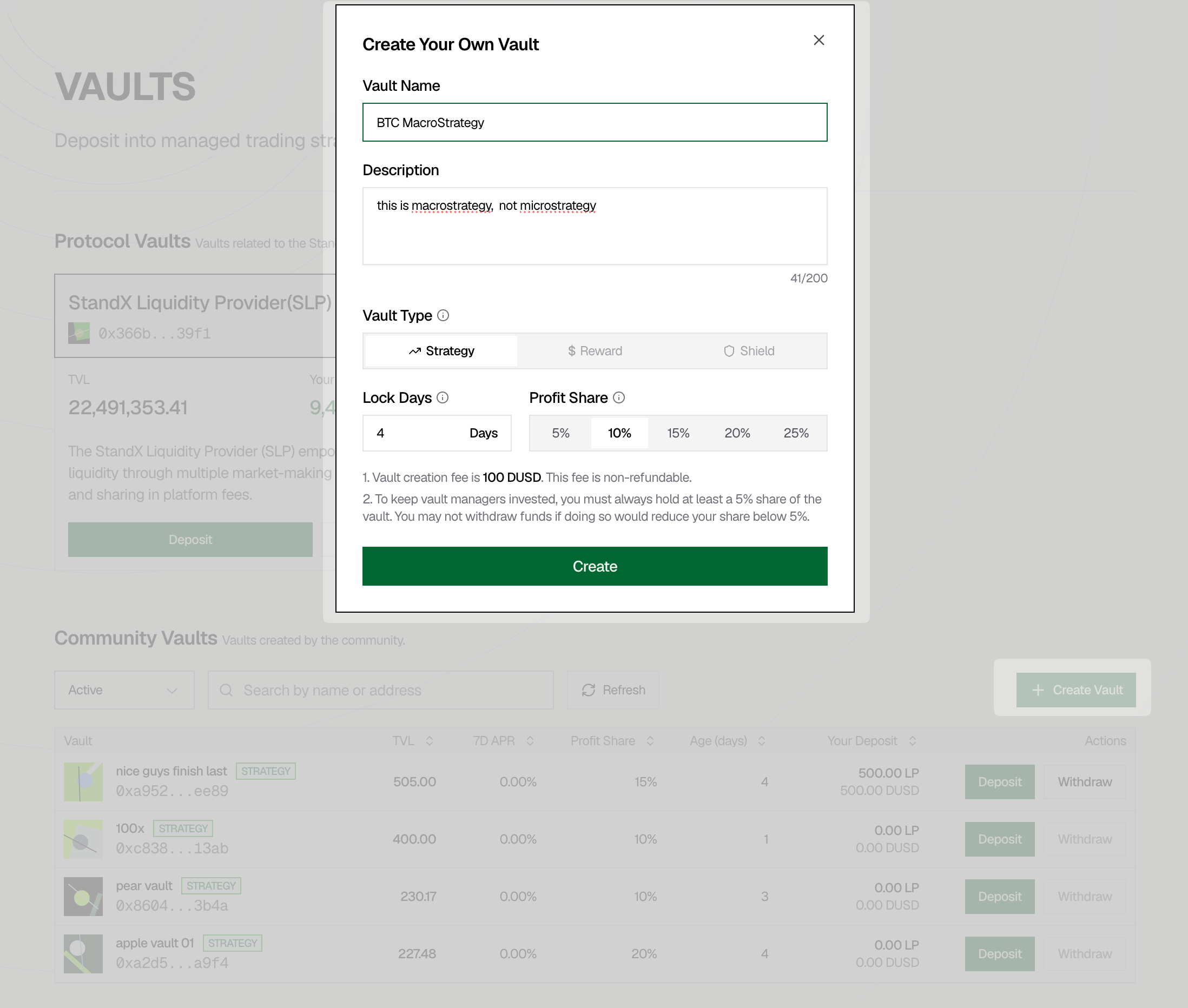
Fill in the form:
- Vault Name. Shown on the vault list and vault page.
- Description. Up to 200 characters.
- Vault Type. Choose Strategy.
- Lock Days. How long a deposit is locked before it can be withdrawn.
- Profit Share. Your cut of depositor profits: 5%, 10%, 15%, 20%, or 25%.
Two rules to know before you create:
- The creation fee is 100 DUSD, non refundable.
- You must always hold at least 5% of the vault. You cannot withdraw if it would drop your share below 5%, and new deposits pause if they would dilute you below it.
Trading with Your Vault
On the Perps page, open the wallet selector at the top left of the trading panel. Your vaults appear under VAULT SWITCH.
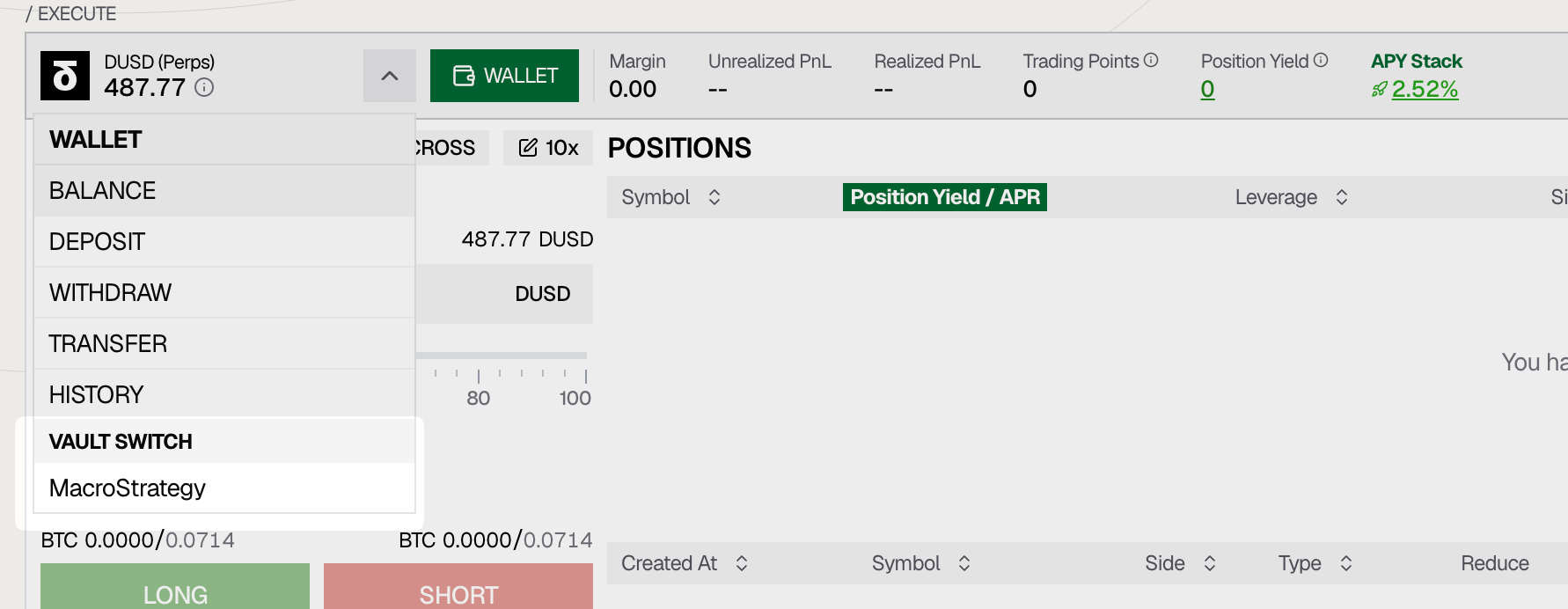
Select a vault to trade with its balance instead of your own account. Margin, positions, and orders all apply to the vault. Switch back from the same menu.
The Vault Page
Each vault has its own page.
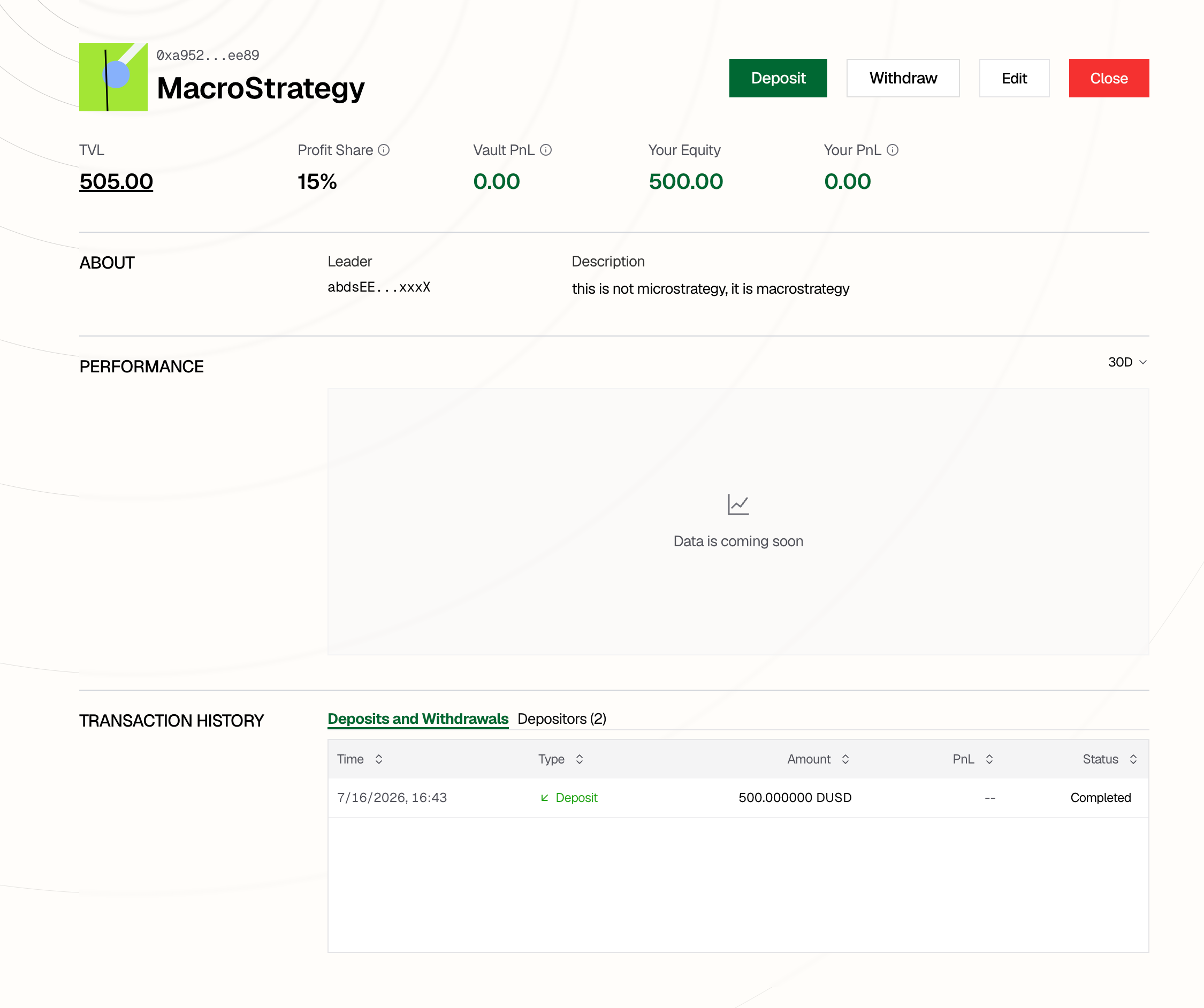
It shows TVL, Profit Share, Vault PnL, Your Equity, Your PnL, the leader’s address and description, a performance chart, and the full history of deposits, withdrawals, and depositors.
Actions:
- Deposit. Priced at the vault’s current NAV.
- Withdraw. Subject to the vault’s lock period, then processed within 4 days under normal market conditions. If the vault lacks free balance near the deadline, the system deleverages it automatically to settle pending requests.
- Edit (owner only). Update vault settings.
- Close (owner only). Only possible with no open orders and no open positions. Remaining balances are settled to all holders.
Reward Vaults (Coming Soon)
A Reward Vault is the maker incentive budget of a trading pair. Creating and funding one is a mandatory part of listing a pair under SIP-5.
- Its balance is paid out daily to makers through Community Maker Yield. It issues no LP tokens.
- The Sponsor funds it at listing and can top up any time. Stand Mode recycles the Sponsor’s fee share back into it, and community members can also contribute.
- The Sponsor sets bps/depth tiers that decide how much budget each price band carries.
- Committed budget cannot be withdrawn freely; it follows the release schedule declared at listing.
Shield Vaults (Coming Soon)
A Shield Vault is the insurance capital of trading pairs. Depositors hold LP tokens priced at NAV and earn liquidation fees and insurance premiums in exchange for underwriting tail risk.
- When a liquidation cannot be absorbed by the order book, the Shield Vault takes over the position at the liquidation price and earns the liquidation fee. It then unwinds or hedges the position within its own limits.
- Income comes from liquidation fees, insurance premiums, and the PnL of inherited positions. Losses are possible for the same reason.
- Each pair a vault backs gets its own reserved capacity, so one pair’s losses cannot drain another pair’s coverage.
- A market’s Sponsor must hold a locked minimum position in its Shield Vault before the market can open, and it stays locked until the market sunsets.
- Withdrawals follow a notice period and per epoch caps.